User administration
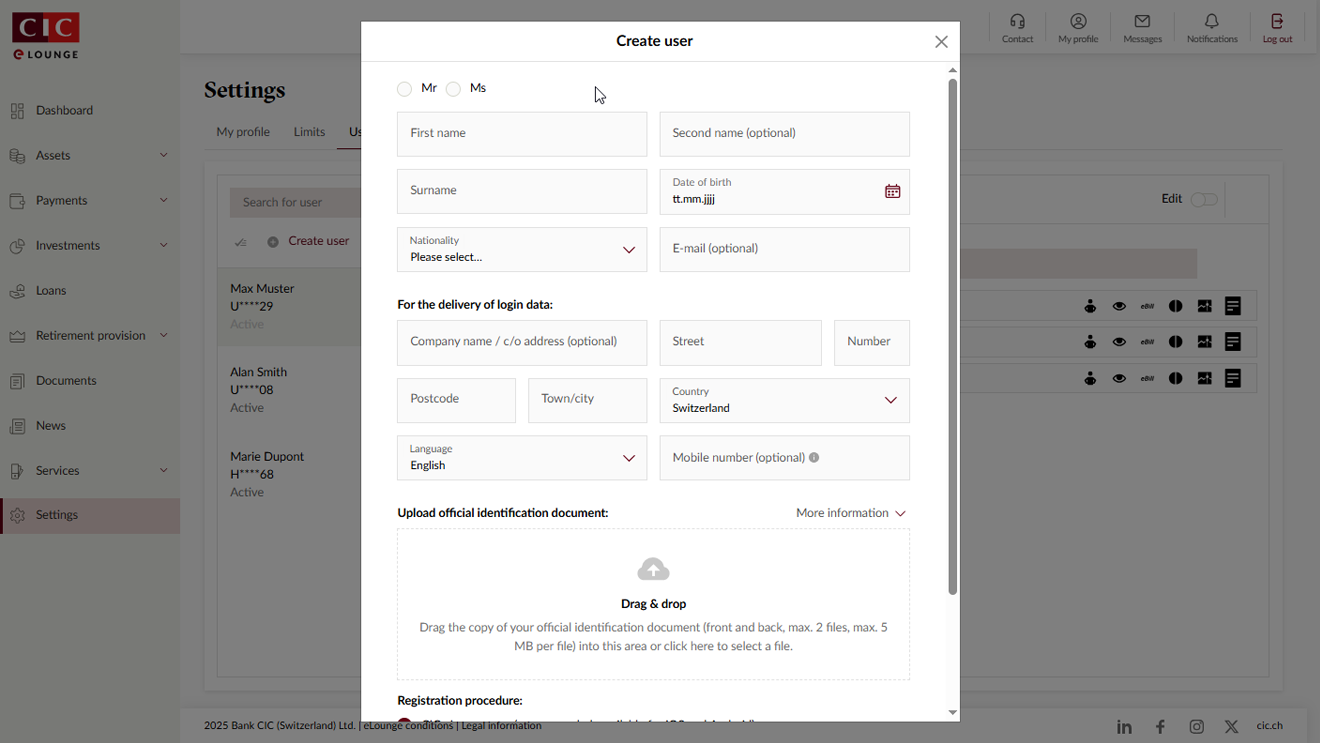
User administration in CIC eLounge makes granting authorisation over your accounts to other people quick and straightforward.

It only takes a few seconds to set up a new user. In a further step you can then, for example, assign payment profiles or administrator rights. As soon as a user has been set up, the new authorised representative is sent the login details.
-
How do I give a user access to just one portfolio or account?
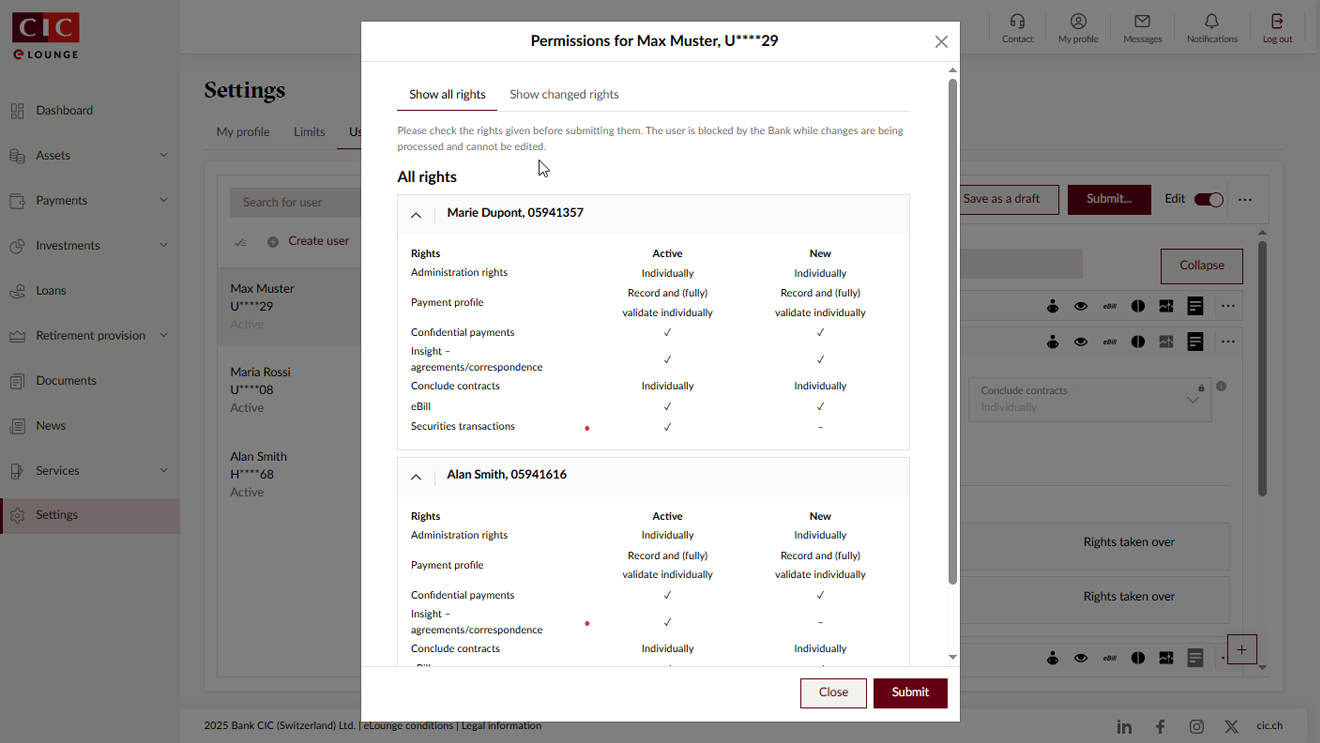
Select the user whose access rights you wish to change and click on “Edit”. You then have the ability to customise access rights at portfolio or account level. You can exclude access to particular portfolios or accounts by marking them “No access”. When you have completed the changes, click on “Submit”. A window will open showing you the details of the rights you have assigned to the new user. If everything is correct, confirm the changes by clicking on “Submit”. The access rights will be activated in just a few minutes.
-
Can a user be deactivated or deleted?
To deactivate a user, select the user you wish to amend and click on “Edit”. Then select “Deactivate user” from the menu and send the changes. A few minutes later the user will be deactivated and no longer have access to the client relationships listed.
Alternatively, you can also deactivate access to individual client relationships. To do this, select “Deactivate” from the menu next to the relationship.
To delete a user completely, select “Delete user” from the menu and send the changes. The user will then no longer have access to eLounge or be able to log in.
To reactivate a user who has been deactivated, select “Activate user” from the menu and send the changes. You can also reactivate access to client relationships that have been deactivated in the menu by selecting “Activate” at the client relationship level.
-
How does user administration work with “Validate collectively” as an administration right?
If a user has the “Validate collectively” administration right, they are able to set up new users or edit the rights of existing users; however, these always have to be approved by a second user who also holds, at a minimum, the “Validate collectively” administration right on the client relationship concerned.
Once the first user has sent the set up or change, the other users are notified accordingly that approval of a user set up or change is pending.